


All your clients. One dashboard.
Separate accounts, reports and budget rules for each client, with planning, creative and reporting on one platform.
Planning and reporting on one platform, with separate brands, reports and budget rules per client.
Multi-client agency setup and white label are on the roadmap.
We’ll tailor the demo to your client setup.
Every client’s campaign periods share one calendar, so you can plan team workload early.
Multiple brands
A separate brand profile per client.
Roles and permissions
Team access set per client.
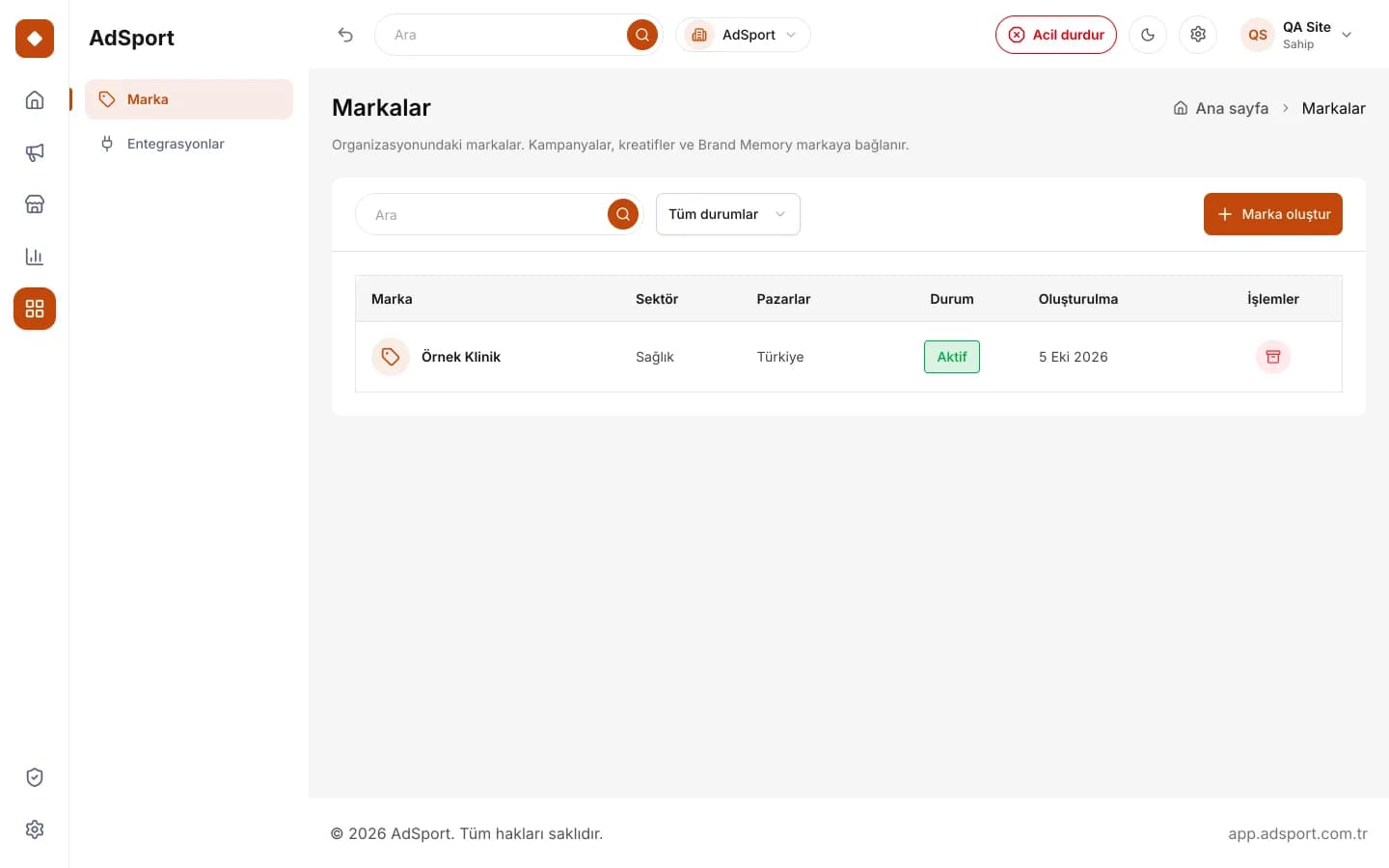 Real dashboard screen
Client reportsRoadmap
All channels in one report.

White labelRoadmap
Present under your own brand.

Demo
We review your client structure together.

Organization
Agency account and brands are set up.

Team invitations
Roles and permissions are assigned.

PlanningRoadmap
Client plans in one dashboard.
Data between organizations is isolated at the database level with row-level security. Today, you can manage your clients as brand profiles under your own organization. Letting each client stay in its own organization and grant the agency access through a link is on the roadmap.
Inviting team members and assigning roles is live today. Finer-grained permissions by client and action will develop together with the agency–client link. In a demo call, we can review the current role structure against how your team works.
White-label reporting is on the roadmap and not available for use yet. Unified analytics and client reports are planned within this scope as well. Agency accounts will be notified when it opens. Until then, you can keep preparing reports outside the platform with your own templates.
Pricing depends on the agency’s client structure and the channels used; we do not publish a fixed price list on the site. During the agency demo, we can discuss your needs and work out a suitable setup together. There is no agency-specific price list yet.

The form takes one minute.
Separate accounts, reports and budget rules for each client, with planning, creative and reporting on one platform.
You can set up multiple brand profiles under one organization. Access to client organizations through a separate agency link is on the roadmap. Each brand is kept separate with its own details.
Invite team members and give each one permissions that fit their role. You decide who can see and change what, brand by brand. The organization admin controls these settings.
The aim is to present each client’s results across all channels in one report. Unified analytics and client-level reports are on the roadmap. Reports will be prepared with shared metric definitions.
A white-label option is planned so you can share presentations and reports under your own agency brand; it is not available for use yet. Agency accounts will be notified when it opens.
Use the form on this page to describe your agency and the clients you manage. On the call, we walk through what’s live today and what’s on the roadmap. Feel free to share your team size too.
Open an organization account for your agency in the platform. We recommend protecting the account with two-factor authentication. The organization administrator manages team and brand settings from here.
Set up the clients you manage as brand profiles. Each brand is kept separate with its own details and settings. Brand guidelines and campaigns will be linked to these profiles in the future.
Invite team members such as planners, creatives or account managers and assign their roles. That way, each person sees only the work they are authorized for.
Organization and multiple brands
Opening an agency organization and managing multiple brand profiles from one dashboard is live.
Team roles and invitations
Inviting team members and granting role-based permissions is live.
Agency–client link and client reports
Access to client organizations through an agency link and unified client-level reports are on the roadmap.
White label
An option for presenting and reporting under the agency’s own brand is planned.
Live: available today at app.adsport.com.tr. Roadmap: in development, not yet available.
Access client organizations through an agency link; each client’s data stays isolated.
Grant team members permissions per client and per action.
Results from every channel in one report per client.
Present and report under your own brand.